A tiny, native screenshot tool that grabs your whole screen, saves a PNG to the folder you choose, and drops it on your clipboard — all in a single silent hotkey. No overlay, no mode-picking, no digging through folders.
The problem
When you're testing, you capture constantly — repro steps, failures, odd UI states — to drop into bug tickets and test evidence. But the built-in tools make you pick one thing at a time.
Win+PrtScn saves a file but skips the clipboard; the Snipping Tool does both but forces an overlay and a click.How it works
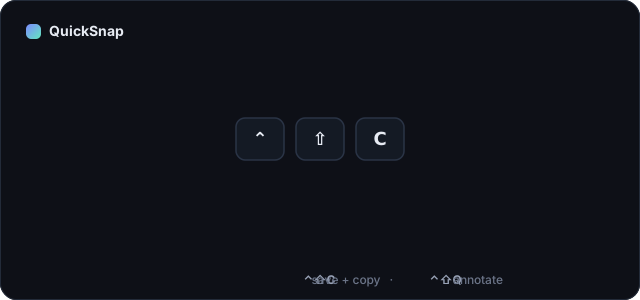
Anywhere, in any app. ⌃⇧C on macOS, Ctrl+Alt+S on Windows.
Silently — no overlay, no interruption to whatever you were doing or watching.
A PNG lands in the folder you chose, and the same image is ready to paste anywhere.
Features
A global hotkey that works from any app, even full-screen video.
Both outputs, every time — a file for the record, the clipboard for the ticket.
Point it at Pictures, Desktop, Downloads, or any evidence folder you like.
No Electron, no bloat. Menu-bar on Mac, tray on Windows — out of your way.
MIT-licensed. Read every line, fork it, make it yours.
Just the OS frameworks — nothing phones home, nothing to trust but the code.
Cross-platform
Native Swift + AppKit, using ScreenCaptureKit. A menu-bar app, no Dock icon. macOS 14+.
Native C#/.NET tray app. Fills the gap Win+PrtScn and the Snipping Tool leave open. Windows 10/11.
Two ways to capture
Two hotkeys, two speeds — a silent grab, or a quick annotate when the screenshot needs a pointer.
One silent keystroke — the whole screen is saved to your folder and copied to the clipboard. No window, no interruption.
A second hotkey captures, then opens a quick editor — drop an arrow, box, or circle and add text — then one Save & Copy button flattens it, saves the PNG, copies it, and closes. A raw capture becomes a clear bug report in seconds.
Roadmap
QuickSnap stays small — a few more things are on the way, starting on macOS.
Grab a selected area or a single window, not just the whole screen.
Always ready in the menu bar / tray the moment you start your machine.
A signed macOS build and a Windows installer for one-click setup.
Open source
QuickSnap is free and MIT-licensed, built by Nihir Kumar. The full source for both the macOS and Windows apps lives on GitHub — issues, forks and stars welcome.
⭐ Star it on GitHub